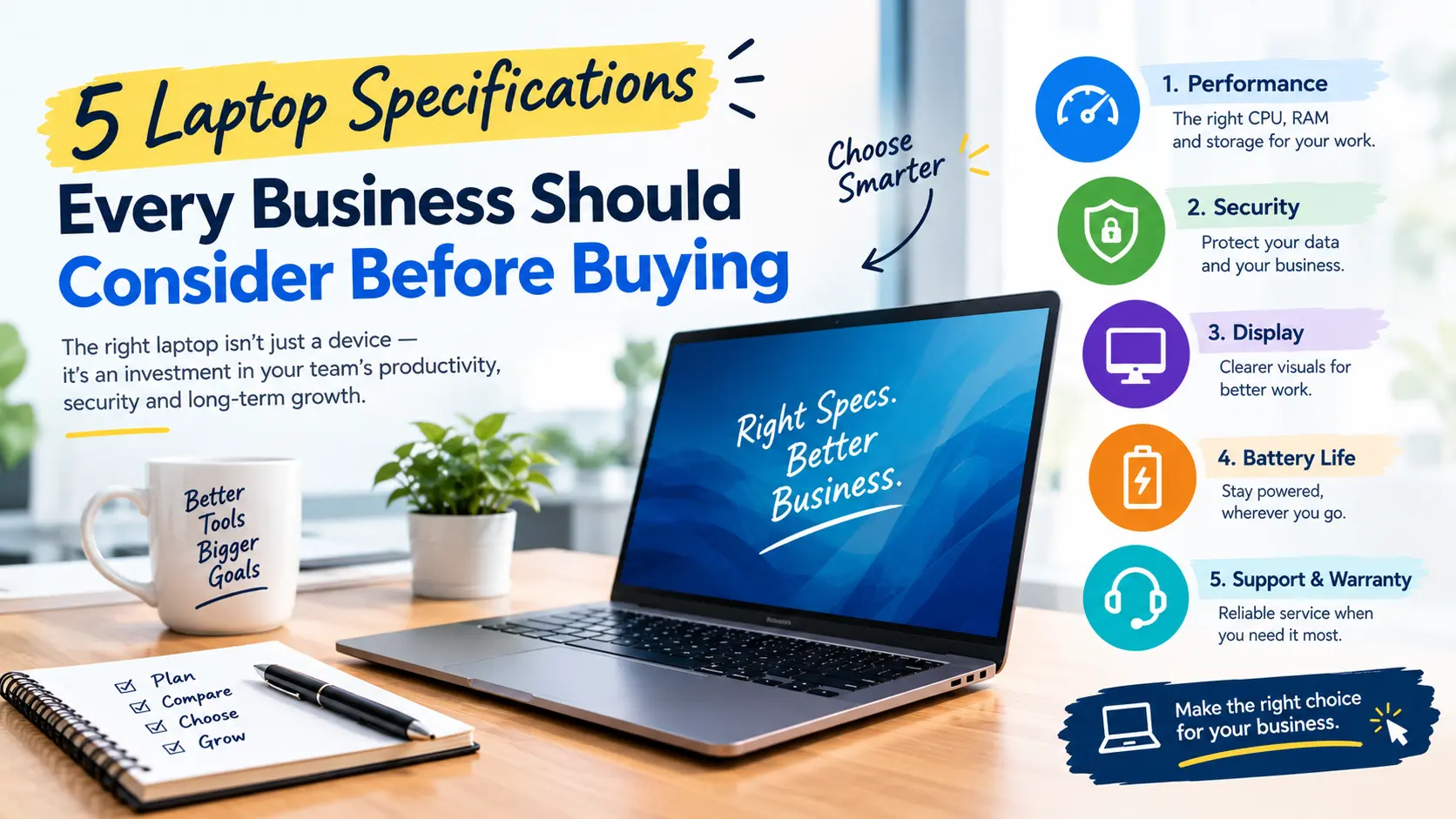
5 Laptop Specifications Every Business Should Consider Before Buying
The selection of laptops for business goes beyond merely evaluating prices and brands. Different employees use their laptops for different purposes, creating very different configuration requirements for accountants, software developers, designers, analysts, and project managers.
For companies that need to acquire or obtain laptops for their staff in bulk, it is important to understand the key specifications to avoid performance issues and unnecessary expenses.
Here are the five most important laptop specifications businesses should consider based on employee roles and workloads.
1. Processor
The CPU is vital in determining how efficiently a laptop handles applications and multitasking. Companies should choose processors according to employees' tasks rather than simply selecting the latest or most expensive option.
Employees who primarily work with emails, documents, spreadsheets, web browsing, video conferences, and regular business applications will generally be well served by a standard mid-range CPU.
On the other hand, employees working with software development programs, data analytics, video editing, engineering software, or other demanding applications may benefit from a more powerful CPU.
Before selecting a processor, businesses should consider:
- Applications employees use regularly
- Number of applications used simultaneously
- Type of professional workload
- Expected requirements over the laptop's usage period
2. RAM
RAM determines how effectively a laptop can run multiple applications at the same time. Business users often need to switch between different software programs, browsers, presentations, spreadsheets, and other applications throughout the day.
Insufficient RAM can become a performance bottleneck when employees handle multiple tasks or use memory-intensive software.
The required amount of RAM depends on the employee's role. Standard office users may require a different configuration from programmers, graphic designers, data analysts, and other professionals working with demanding applications.
Therefore, businesses should customize laptop configurations according to employee requirements instead of providing every employee with exactly the same hardware configuration.
3. Storage
Another key specification for business laptops is storage capacity .
SSDs are generally preferred over traditional hard drives because they provide faster access to applications and data. However, companies should consider the actual storage requirements of each employee.
Employees who primarily use cloud-based tools and store their files on cloud services may not require a large amount of local storage.
On the other hand, employees who work with large datasets, designs, videos, engineering files, and similar content may require significantly more storage.
Businesses should therefore consider both the type of storage and its capacity before finalizing laptop specifications.
4. Display and Portability
The appropriate screen size depends on how and where the laptop will be used.
Employees who frequently travel between offices, attend meetings, or visit customer locations may benefit from lightweight and portable laptops.
However, employees who work with large spreadsheets, dashboards, design programs, or multiple windows may prefer laptops with larger displays.
Organizations should consider more than just screen resolution. Connectivity options are also important for business users.
Ports such as USB and HDMI can be useful when employees need to connect external monitors, projectors, storage devices, and other peripherals.
5. Battery Life and Reliability
The importance of battery life increases for employees who work away from a fixed desk.
Sales teams, consultants, project teams, field employees, and traveling professionals need laptops that can support their work without frequent charging.
Reliability is another important factor when deploying laptops across an organization. Companies should consider expected usage, technical support, warranty coverage, and the process for replacing or servicing devices.
For organizations managing a large number of laptops, maintaining standardized devices can also help simplify deployment, maintenance, and technical support.
Should Businesses Buy or Rent Laptops?
Buying laptops may make sense when a company requires devices for long-term employee use. However, there are situations where purchasing a large number of laptops may not be practical.
For example, companies may need laptops for:
- Temporary projects
- New employee onboarding
- Training programs
- Corporate events
- Short-term teams
- Seasonal workforce requirements
- Remote or distributed projects
In these situations, bulk laptop rental can provide businesses with the required devices for a specific period without requiring them to purchase laptops permanently.
The important step is to determine the required specifications, quantity, and rental duration before selecting the devices.
Final Thoughts
There is no single laptop configuration that is ideal for every business. The right choice depends on employee roles, applications, workloads, mobility requirements, and the expected duration of use.
Processor, RAM, storage, display and portability, and battery life are five key areas businesses should evaluate before finalizing their laptop requirements.
If your company needs laptops for a temporary project, training program, event, new team, or another business requirement, Laptops India offers bulk-quantity laptop rental solutions based on business requirements.
Get in touch with Laptops India to discuss your required laptop specifications, quantity, and rental duration.
Frequently Asked Questions
1. What laptop specifications should businesses consider?
Businesses should consider the processor, RAM, storage, display, portability, battery life, and overall reliability based on employee roles and workloads.
2. How much RAM is suitable for business laptops?
The required RAM depends on the work being performed. Basic office tasks may need less memory, while software development, data analysis, design, and other demanding workloads may require more.
3. Is SSD storage important for business laptops?
Yes. SSDs generally provide faster access to files and applications, which can contribute to a smoother everyday work experience.
4. Should businesses buy or rent laptops?
Businesses with long-term requirements may consider purchasing laptops, while companies handling temporary projects, training, events, or short-term teams can consider bulk laptop rental.
5. Can businesses rent laptops in bulk?
Yes. Businesses can arrange laptops in bulk for projects, employee onboarding, training programs, events, and other temporary requirements based on their required specifications and rental duration.



No comments yet. Be the first to comment.